Most South Florida business owners didn't plan to have a server. It showed up years ago with the accounting software or the file shares, and it's been humming in a back closet ever since. Now it's old, the warranty is long gone, and storm planning for next year is worth starting early. Do you keep it, replace it, or let it go?
The answer isn't the same for every office. Here's how to think it through.
Key takeaways
- Total cost of ownership matters more than sticker price. Power, cooling, backup, licensing, and IT labor all count.
- Support dates are the clearest trigger. Windows Server 2012 R2 is already unpatched, and 2016 loses extended support on January 12, 2027.
- Cloud isn't automatically safer, but an unsupported local server is a real risk.
- Florida's breach law sets a 30-day notification clock, and an unmonitored server makes that harder to meet.
- Hybrid works for most small offices: keep what must stay local, move the rest, and phase it.
The Real Cost of Keeping a Local Server
When you compare on-premise server vs cloud cost, don't compare the price of a new box to a monthly bill. Compare total cost of ownership. For a local server, that includes hardware, operating system and application licensing, backup, power, cooling, and the IT labor to keep it patched and running.
South Florida adds costs that national comparisons miss:
- Humidity and salt air are hard on older server closets, so cooling and dehumidification are real expenses in Boca Raton, Delray Beach, and Boynton Beach.
- A/C for the closet has to run around the clock, not just business hours.
- UPS batteries wear out and need replacing. Lightning and power surges can still get through weak protection.
- Hurricane downtime means lost work if the power or internet is out and nothing is set up off-site.
Then there's the refresh cycle. Servers don't fail on a convenient schedule. When one dies unplanned, you pay the emergency premium: rush shipping, overtime labor, and days of lost productivity.
Cloud shifts much of that into predictable monthly fees. But it adds its own lines: storage growth, licensing, and data egress (charges for pulling data back out). Model those honestly. We can build a real side-by-side comparison for your office during an assessment.
Is Your Server Running Out of Support?
Start with the operating system. It's the fastest way to tell whether you're deciding or being forced.
- Windows Server 2012 R2: extended support ended October 10, 2023. Paid Extended Security Updates (ESUs) for volume-licensed editions ended October 13, 2026. Any 2012 R2 server still running is now unpatched.
- Windows Server 2016: extended support ends January 12, 2027, as Microsoft's Windows Server blog states. Paid ESUs then run in annual steps through January 2030.
- Windows Server 2019: extended support runs until January 9, 2029. Confirm with Microsoft for your edition.
We'd verify your exact edition and licensing before you plan around any date.
Paying for extended updates is a bridge, not a strategy.
ESUs buy time. They don't fix an aging server, and the spend can approach what a planned migration would cost. A server and infrastructure support review is the place to audit server age and map out an upgrade.
Security Risks of Legacy Servers vs Cloud
Legacy server security risks tend to stack up in the same places: an unpatched operating system, a flat network where one compromised PC can reach everything, aging backups nobody has tested, and a closet door that doesn't lock.
The numbers for businesses your size show what's at stake. TechAisle's 2025 SMB tracker puts the average loss across small and mid-size firms at $1.6M. Either way, one incident can hurt a small business badly.
Cloud isn't a free pass. Under the shared responsibility model, the provider secures the infrastructure, and you still own identity, configuration, and data access. Misconfigured permissions and missing MFA (multi-factor authentication) cause real problems. Whatever platform you choose, pair it with cybersecurity and monitoring and MFA.
Insurance matters too. Carriers often ask about patching and MFA, so review the cyber insurance requirements before you renew.
Florida Breach Rules Change the Math
Florida's Information Protection Act (Fla. Stat. §501.171) sets firm deadlines:
- Notify each affected individual as expeditiously as practicable and without unreasonable delay, and no later than 30 days after determining a breach occurred.
- If a breach affects 500 or more Florida individuals, also notify the Department of Legal Affairs within 30 days.
- You can request up to 15 additional days by providing good cause in writing.
- A third-party agent that suffers a breach in a system it maintains must notify you within 10 days.
That last point matters when you move to a cloud or managed provider. Read the vendor contract and service terms so you know who tells whom, and how quickly.
An unpatched on-site server makes the clock harder to meet. If nobody is monitoring it, you may not know a breach happened until long after the fact. This isn't legal advice, so have counsel review your obligations, especially if you handle medical, dental, or legal client data.
Hybrid Cloud Migration: A Practical Path
Most offices don't need all-or-nothing. A hybrid cloud migration guide for a small business looks like this:
- Inventory what the server does. File storage, accounting, line-of-business apps, print services.
- Classify your data. Know what's regulated, such as HIPAA or client confidentiality, and what isn't.
- Decide what stays and what moves. Latency-sensitive, regulated, or app-bound workloads often stay local. File shares, email, and backup usually move.
- Check vendor options. Ask whether your key software has a hosted version.
- Pilot one department or app. Compare speed, access, and support before committing.
- Phase it, test restores, and keep a rollback plan.
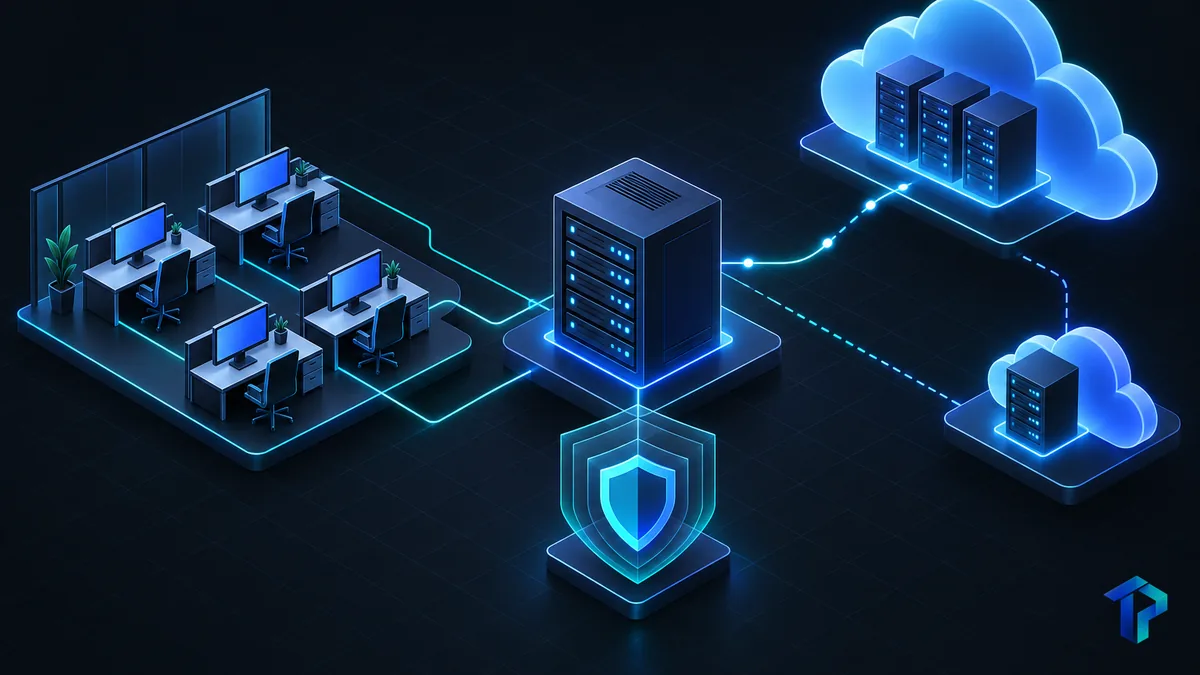
For a small business server upgrade, you generally have three paths: replace the box on-site, move to the cloud, or go hybrid with cloud backup and failover. Microsoft 365 and cloud support is the natural first move, since email and files are easy to relocate.
Storms should shape the plan. Off-site failover and redundant internet keep you working when the power or a single provider goes down. Our storm downtime planning article goes deeper.
Decision checklist: server age, app compatibility, compliance rules, and who on staff can restore data. Your internet connection matters too, since cloud systems depend on it.
Next Step: Get a Server Assessment
Here's the simple rule. Keep the server if it's tied to an app and well maintained. Retire it if it's out of support or costly to protect. For most offices, hybrid is the sensible middle.
We'll review your server's age, support dates, and backups. No pressure, and no jargon. Request a server assessment and we'll walk through your options.
Frequently asked questions
Is it cheaper to keep an on-premises server or move to the cloud for a small business in Florida?
It depends on server age and workload. A recently purchased, well-maintained server can be cheaper for a stable, app-bound workload. An aging one often costs more once repairs, power, cooling, and downtime are counted. A total cost of ownership comparison is the only reliable way to know.
How much does it cost to maintain a server room in Miami each year?
Costs vary widely, so we won't quote a single figure. Budget for power and cooling, UPS and surge protection, backup, licensing, hardware refresh, and IT labor.
Are cloud servers more secure than a local server for a small business?
Not automatically. Cloud providers secure the infrastructure, but you still own identity, configuration, and data access. A patched, monitored cloud environment with MFA usually beats an unsupported local server. A poorly configured one can be just as risky.
Should a South Florida business move its server to the cloud before hurricane season?
Moving critical workloads, or at least backups and failover, off-site before storm season reduces the risk of losing data and access when power or flooding hits. Start early, because rushed migrations create their own risks.
What is a hybrid cloud setup for a small office in Boca Raton?
It keeps some systems, such as a line-of-business app or local file cache, on-site while moving email, backup, and collaboration to the cloud. You get lower hardware dependence without forcing everything to move at once.
Cloud MigrationServer SupportCybersecuritySouth Florida IT

